Our phones contain a huge amount of sensitive information about us. But what happens if your phone is suddenly stolen or broken? What are you going to do?
First of all, you may not even be able to call for help. And if someone else gets access to your phone, they may also get access to a large part of your digital life.
They could:
- Steal your photos and other private information.
- Access your financial information.
- Send messages to your friends or family members and ask them for money.
- Access your email and social media accounts.
- And in some cases, even access or manipulate important information through government websites.
Sounds scary, right?
But don’t worry. Before any of these problems happen, there are a few simple things you can do to reduce the damage if your phone is ever stolen or broken.
You’re lucky I’m here. I’ll help you prepare for it. 🙂
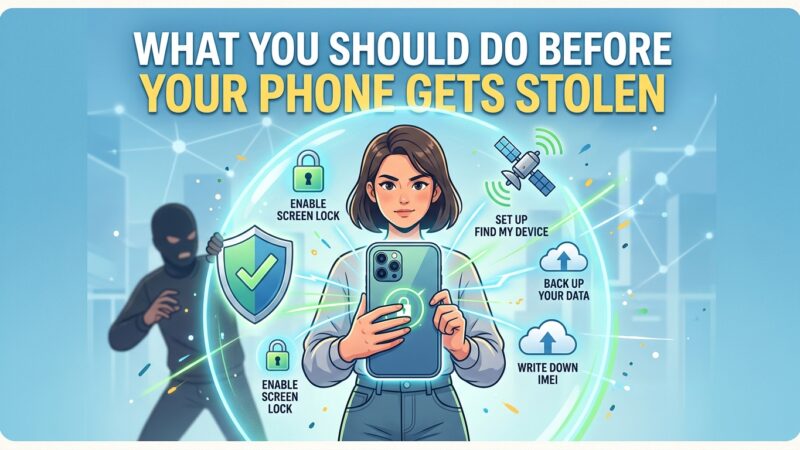
Use a Strong Screen Lock
A strong screen lock can prevent many of the worst things from happening.
If someone steals your phone but can’t unlock it, they may have to reset the device to use it. In that case, they may end up with a physical phone, but not access to your personal data.
That’s why you should always use a strong PIN, password, fingerprint, or Face ID. Avoid simple PINs such as 1234, your birth year, or other numbers that someone could easily guess.
Turn On Find My Device
If they are not clever enough to turn off the location and internet connection, you may be able to track your phone!
Today, both Android phones and iPhones have built-in “find my device” features that are connected to your Google or Apple account.
You can use these features to see your phone’s location, play a sound, lock the device, or even erase your data remotely.
That’s why you should make sure this feature is enabled before your phone gets stolen. Once it’s gone, it may be too late to set it up.
Back Up Your Phone
Let’s say you don’t have sensitive data on your phone, but you have a lot of important data.
So, does it really hurt if your phone gets stolen?
Well, losing the phone is still annoying, but losing your important data can be much worse.
To reduce the damage, back up your data regularly. You can even use multiple backup services for your most important files. That way, if someone steals your phone, you can still access your important data from another device.
Yes, a backup won’t bring your phone back.
But at least you can continue your life without losing everything with it!
Save Your IMEI Number
Your IMEI number is basically your phone’s unique identity.
If your phone gets stolen, your IMEI number can be useful when reporting the theft to your mobile operator or the authorities. In some countries, operators can use the IMEI to block a stolen device from connecting to mobile networks.
So it’s a good idea to save your IMEI number somewhere safe before anything happens.
But how can you find your IMEI number?
That’s another story for another article!
Secure Your Main Account
Android phones are connected to a Google Account, while iPhones are connected to an Apple Account.
These accounts are important because your backups, contacts, photos, applications, and other data may be connected to them.
So don’t protect only your phone — protect your main account too.
Use a strong password, enable two-factor authentication, and make sure your recovery options are up to date.
If your phone gets stolen, you can use another device to access your account and protect your data.
Hide Sensitive Notifications
When your phone is locked, some notifications may still appear on the lock screen. This means someone could see messages, verification codes, or other sensitive information without knowing your screen lock.
So it’s better to hide sensitive notifications when your phone is locked — or hide all notification content if you prefer.
It can also make it harder for a thief to understand what is happening on your phone. For example, seeing a notification about your phone’s location or tracking could tell them that you’re trying to find it.
A small setting can make a big difference.
Protect Your SIM Card
SIM cards have their own security feature: a SIM PIN.
You can set a PIN to prevent someone from easily using your SIM card in another phone. This can help protect your phone number and the accounts that use it for verification.
Friendly reminder: please find something better than 1234 or 1111. 🙂
Secure Your Banking Apps
Most phones support an additional security layer for individual apps.
First of all, add another layer of protection to your banking and financial apps by using a strong PIN or biometric lock if your phone supports it.
Your banking account already has its own password, so don’t use the same password or PIN everywhere. Keeping them different makes it harder for someone to access your accounts.
If your phone doesn’t support individual app locks, don’t worry!
We’ll cover alternative ways to protect your sensitive apps in another article. Just stay tuned! 🙂
Don’t Store Sensitive Information
What happens if a thief gets access to your phone and opens your Notes app?
What kind of information would they find there?
We should be careful about what we store in our notes. Never keep your passwords, API keys, recovery codes, or other sensitive information as plain text.
Especially don’t store your banking passwords or app PINs there. 🙂
Your Notes app is not a password manager.
Know What to Do If Your Phone Is Stolen
Knowing what to do after your phone is stolen is just as important as preparing for it.
If it happens:
- Try to locate your phone using Find My Device or Find My.
- Lock your phone remotely so nobody can access your data.
- Contact your mobile operator and block your SIM card.
- Change the passwords of your important accounts, especially your main Google or Apple account.
- Contact your bank if you have banking or payment apps on your phone.
- Report the theft to the relevant authorities and provide your IMEI number if needed.
Don’t panic and don’t try to confront the thief yourself.
We will cover exactly what to do in the first few minutes after your phone is stolen in another article.